

Learn as you type
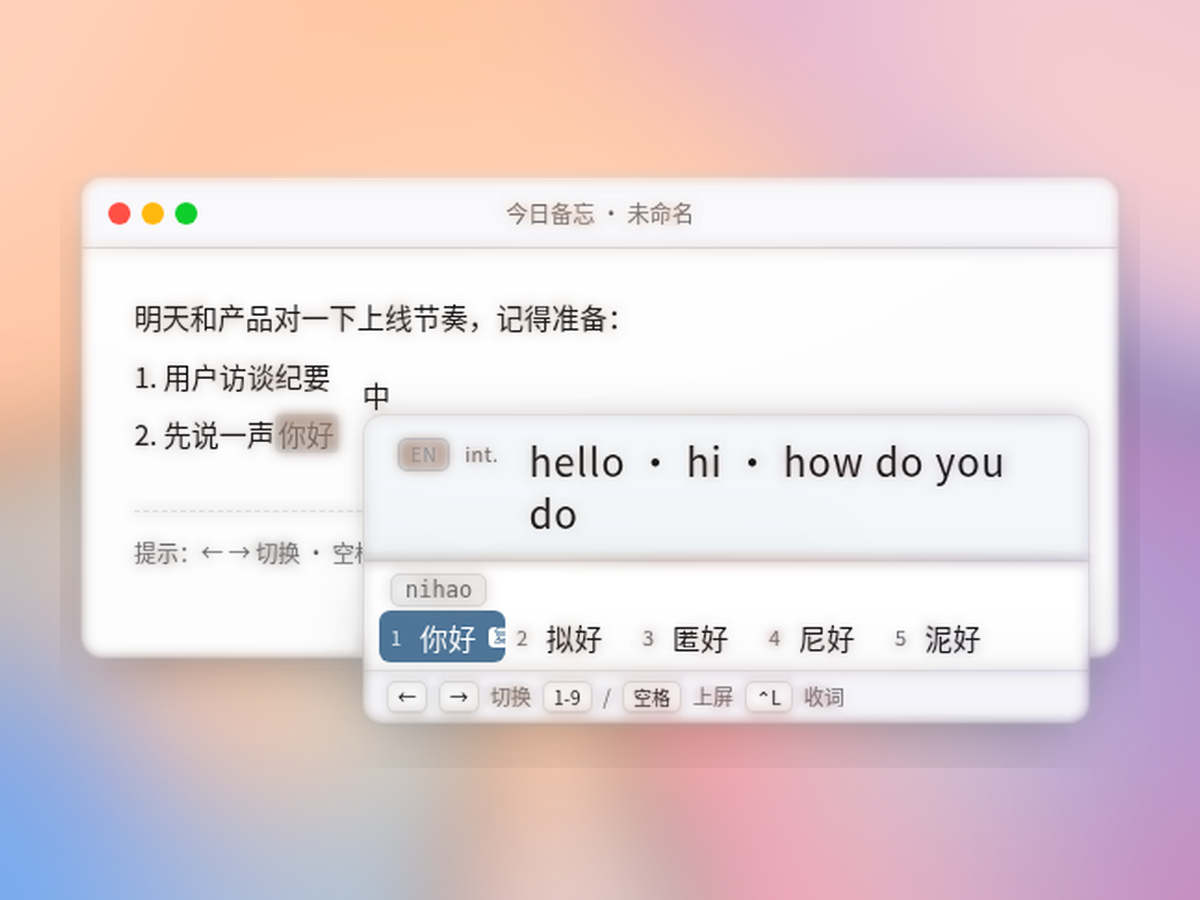
English glosses appear above candidates. ⌃L saves a word to your vocab list without breaking flow.
macOS · Pinyin IME · Private by default
Xueci IME connects candidates, glosses, and review into one loop: pick up words as you type Chinese, then review them with a spaced-repetition schedule. Dictionaries and habits stay on your Mac—no network required unless you turn AI on.
Installer coming soon (client ≈ 0.8.4). Set PUBLIC_DMG_URL at deploy time. Backend API scaffolding is ready for local use.
Highlights
Neutral VI and frosted glass: calm and professional, not neon gradients.
English glosses appear above candidates. ⌃L saves a word to your vocab list without breaking flow.
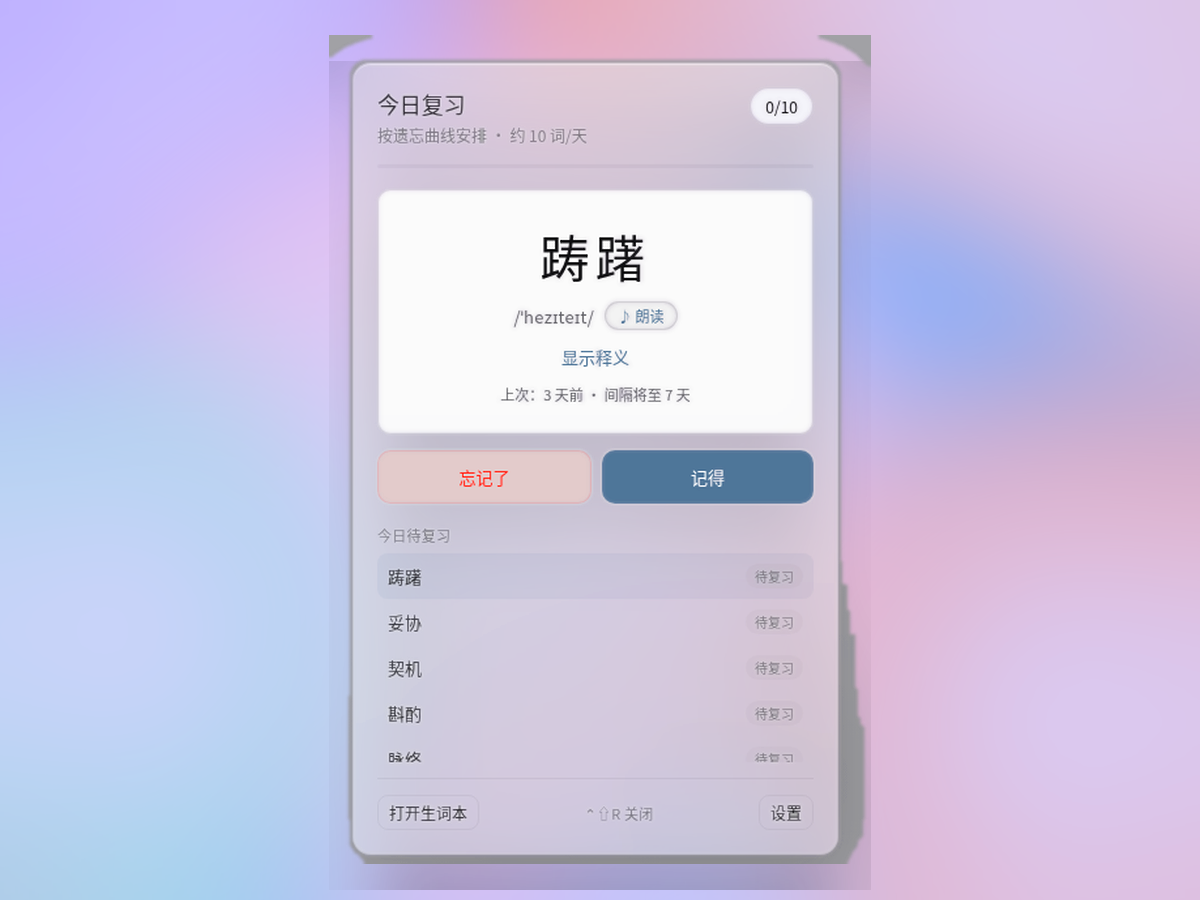
About 10 words/day by forgetting curve. ⌃⇧R opens a compact window—Knew it / Forgot it.
Dictionary, habit store, and vocab list stay local. Optional AI translation; keys go in Keychain.
Shift shows a toast when switching. In Chinese mode, type hello / iphone and commit English candidates directly.
Words you pick rise in rank. Toggle learning or clear memory anytime in Settings.
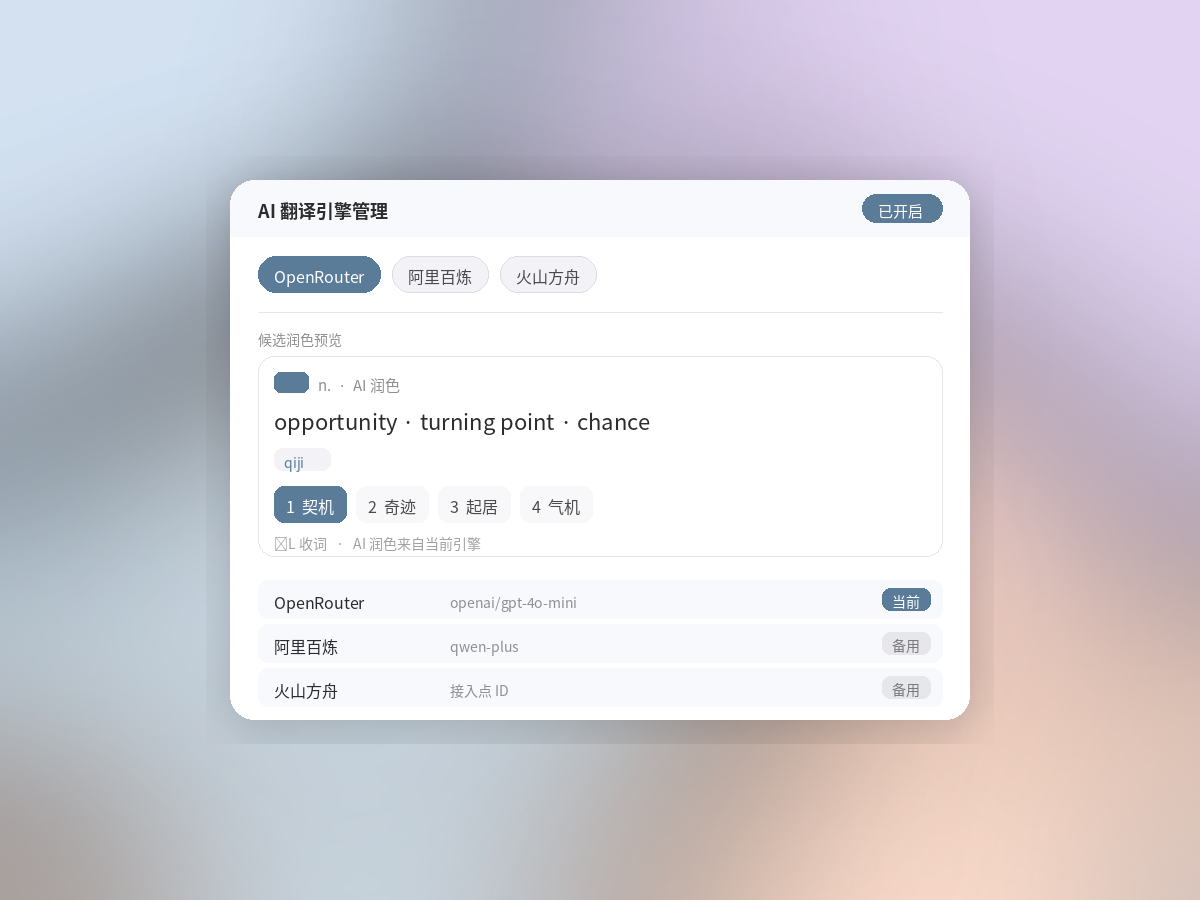
Company-funded quota (Free 20 / Pro 300 per day), or bring your own key. Master switch defaults off—never blocks typing.
Gallery
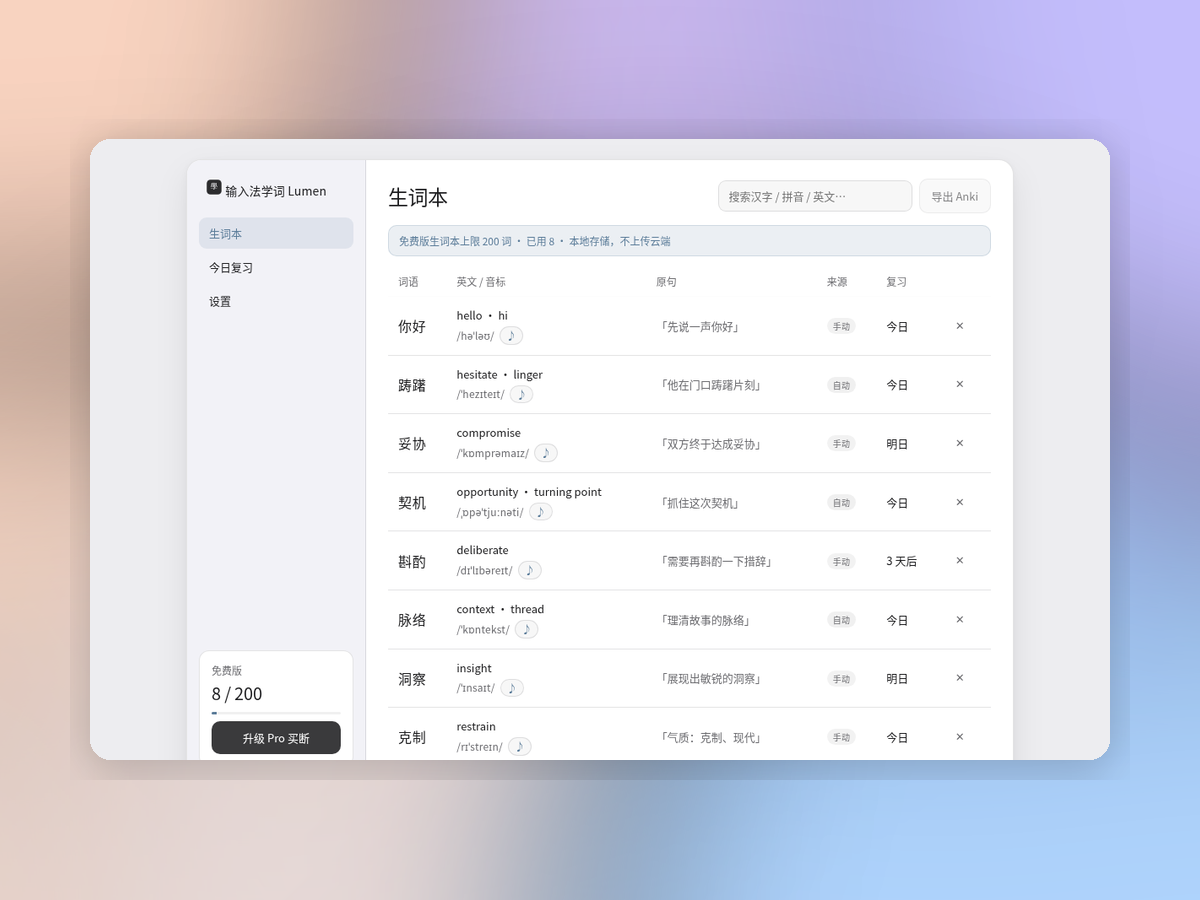
Candidate glosses, daily review, vocab list, and AI word tips—core features at a glance.
Install guide
macOS input methods must be added manually. Five steps—about a minute—until you see 「學」 in the menu bar.
Download the .dmg from this page. Drag IMEVocab.app (Xueci IME) into the Input Methods folder, or copy it to ~/Library/Input Methods/.
System Settings → Keyboard → Input Sources → Edit…
Click +, choose Chinese (Simplified) or Other, find 「学词输入法 / Xueci IME」, and add it. After upgrading, if it disappears from the menu bar, remove the old source and add it again.
Click the menu bar input icon and select Xueci IME (「學」). You’re ready to type and learn.
Log out or restart Mac, then try again. Still missing? Remove and re-add the source; if needed, delete the old copy under ~/Library/Input Methods/ and reinstall.
Tip: if the menu bar icon looks wrong after the first add, remove and re-add the input source to refresh it. More detail in the FAQ.
Pricing
Payments will use Waffo Pancake (international cards + WeChat). Buy buttons are placeholders for now.
¥0
Recommended
¥68–98 / $15 one-time
FAQ
Download the .dmg, put the app in Input Methods, then add 「学词输入法」 under System Settings → Keyboard → Input Sources. Full five steps are in the install guide. If the icon looks wrong after the first add, remove and re-add the source.
Dictionary, habits, and vocab stay on your Mac by default. With company-funded AI, requests go through our proxy (daily quota). With your own API key, traffic goes to the engine you choose. Backend scaffolding exists; the public download is still a placeholder.
Xueci is built for “learn while typing”: glosses beside candidates, one-key save, spaced review. Input follows standard QWERTY Pinyin, with English word candidates in Chinese mode.
The site will integrate Waffo Pancake. After purchase, a license is emailed and bound in the client (planned for 1–2 Macs). Buttons currently say “Coming soon.”
Recent macOS on Apple Silicon and Intel. The exact minimum version will be listed with the installer when it ships.


